From Notearama Security by David Nagy · Notearama Help
Evernote Security
Published
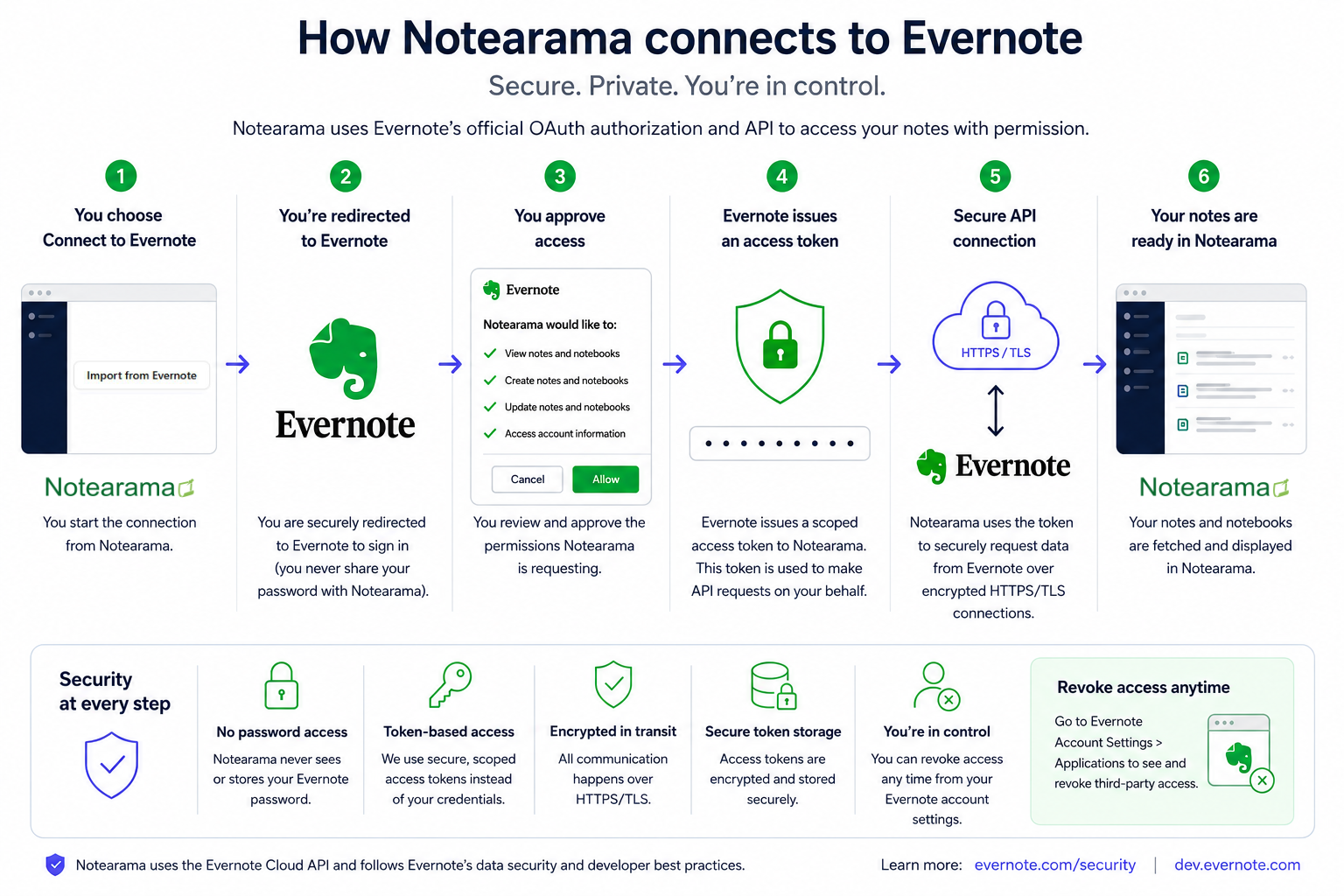
How Notearama connects to Evernote
Notearama uses Evernote’s official Cloud API and OAuth authorization system to securely connect to your Evernote account.
What this means
- You authenticate directly with Evernote
- Notearama never sees or stores your Evernote password
- Evernote issues a secure access token after your approval
- All API communication occurs over encrypted HTTPS/TLS connections
- You can revoke Notearama access at any time from your Notearama or Evernote account settings
Connection flow
1. You select Connect to Evernote
2. You are redirected to Evernote’s secure login page
3. You approve requested permissions
4. Evernote issues a scoped access token
5. Notearama securely accesses authorized notebooks and note
Security architecture
- OAuth-based authorization
- Notearama uses OAuth token-based authentication rather than direct credential handling.
- Benefits include:
- No password sharing
- Revocable access
- Scoped permissions
- Industry-standard authentication practices
Encryption in transit
All communication between
- Your browser,
- Notearama servers, and
- Evernote services
is encrypted using HTTPS/TLS.
This helps protect data from interception during transmission.
Secure token handling
Access tokens are stored securely and used only for authorized API requests.
Security practices include:
- Encrypted storage
- Restricted server-side access
- Token validation
- Least-privilege access principles
User-controlled access
You remain in control of your connected accounts.
You can revoke Notearama’s access to Evernote at any time through your Notearama or Evernote account settings.
Data handling principles
Notearama is designed around the principle that users retain ownership and control of their content.
We aim to minimize data exposure
Notearama only accesses content necessary to:
- Import notebooks and notes
- Organize published content
- Generate public or shared knowledge experiences
- Support search, indexing, and navigation features
Public vs private content
Users control which content becomes publicly accessible.
Private notebooks and unpublished content remain inaccessible to public visitors unless explicitly published or shared by the user.