From Getting Started with Notearama (Publisher) by David Nagy · Notearama Help
3. Organize Notes and Notebooks
Published
Sorting Notes
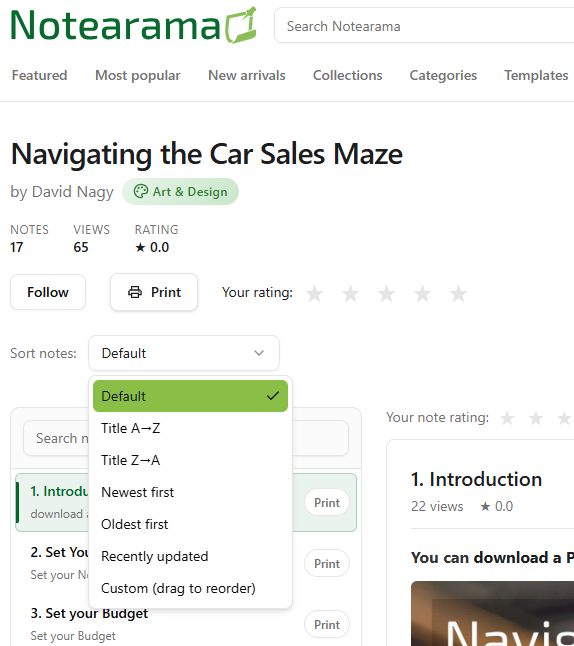
The sort options for the page viewer are shown below.
The Custom (drag to reorder) option only appears for the notebook owner, and the revised sort order can be saved as the default for all viewers.
Managing Notebook Collections
Collections are groups of notebooks displayed as a unified library.
Use cases:
- Product documentation center
- Course library
- Knowledge base
- Research archive
Example:
Collection: SaaS Customer Success
- Getting Started
- API Docs
- FAQ
- Troubleshooting
Creating a Collection
Steps:
- On the Profile/My Collections page, click the Create new collection button.
- Add a title.
- Select notebooks to include.
- Click the Create button and check the Published box when you are ready to make it public.
- The new collection will appear in your My Collections list, and under the Collections menu on the home page.